Apple Higher Education IT
News and Updates — Florida
August 28, 2026
The big news this week was the announcement of the new Mac mini and Mac Studio. There are plenty of great enhancements, so make sure you look for all of the surprise and delight features. Given how well these machines fit on-device AI work for research and teaching, be sure to check out the Apple & AI events we have coming up.
Speaking of events, we have a lot of sessions in September, some as soon as next week with our ongoing Deployment Foundations sessions running August 31 through September 3. These are followed by repeat sessions covering What's New for Higher Education from WWDC and Shared Mac Deployment Updates for IT, and if you missed last month's sessions, recordings are available for a few of those. Also be sure to check out the latest Apple Enterprise Readiness Workshops.
Aside from all of the upcoming events, I've gathered up some great articles to read around DDM and Content Caching, along with a couple of session recordings from the University of Utah's MacAdmins meetings. Topping this off are some stories connected to accessibility, to support all of your users, with and without disabilities.
I hope your semester is off to a great start.
Thanks for reading.
Tim
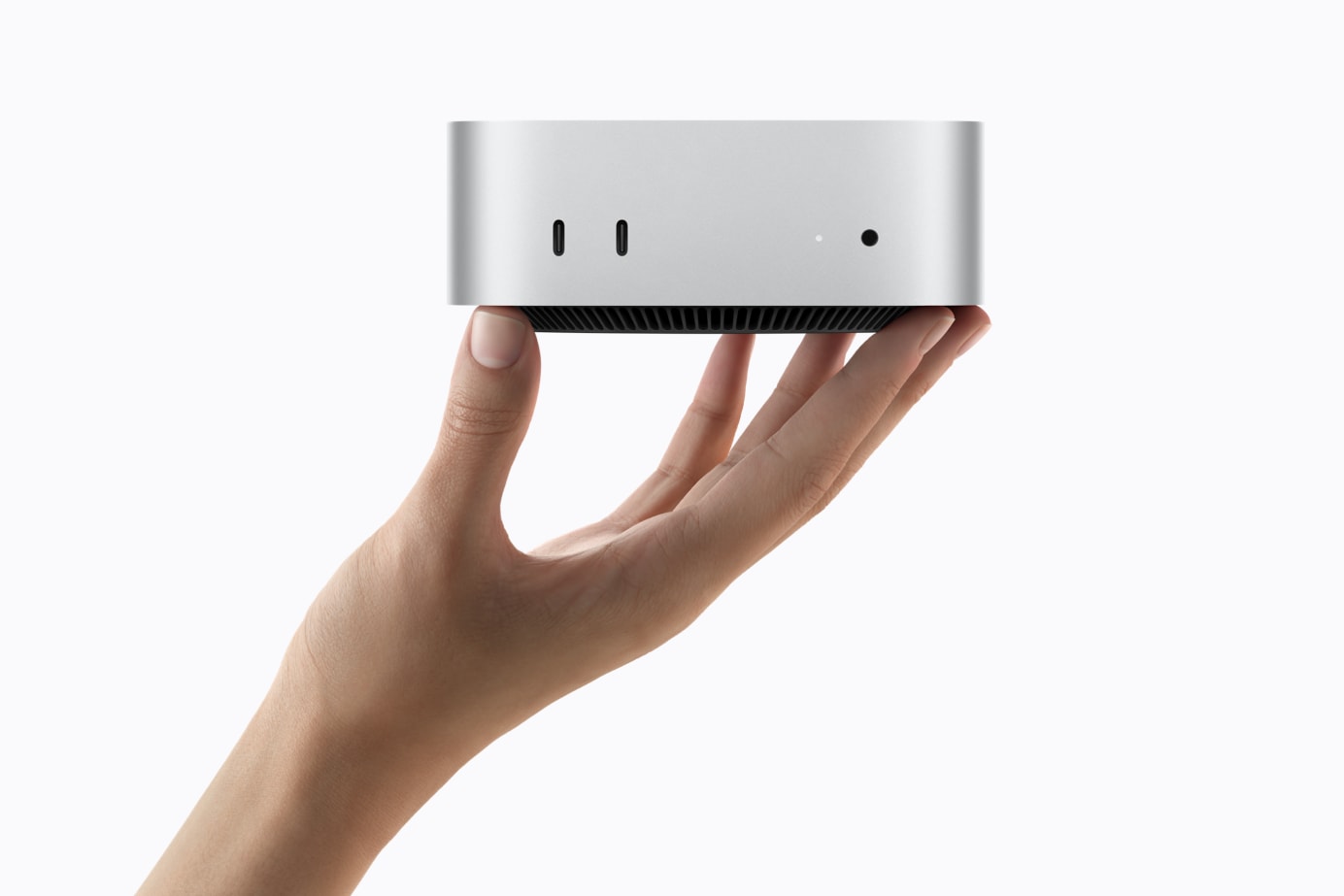
🖥️ New Mac mini and Mac Studio — Built for On-Device AI
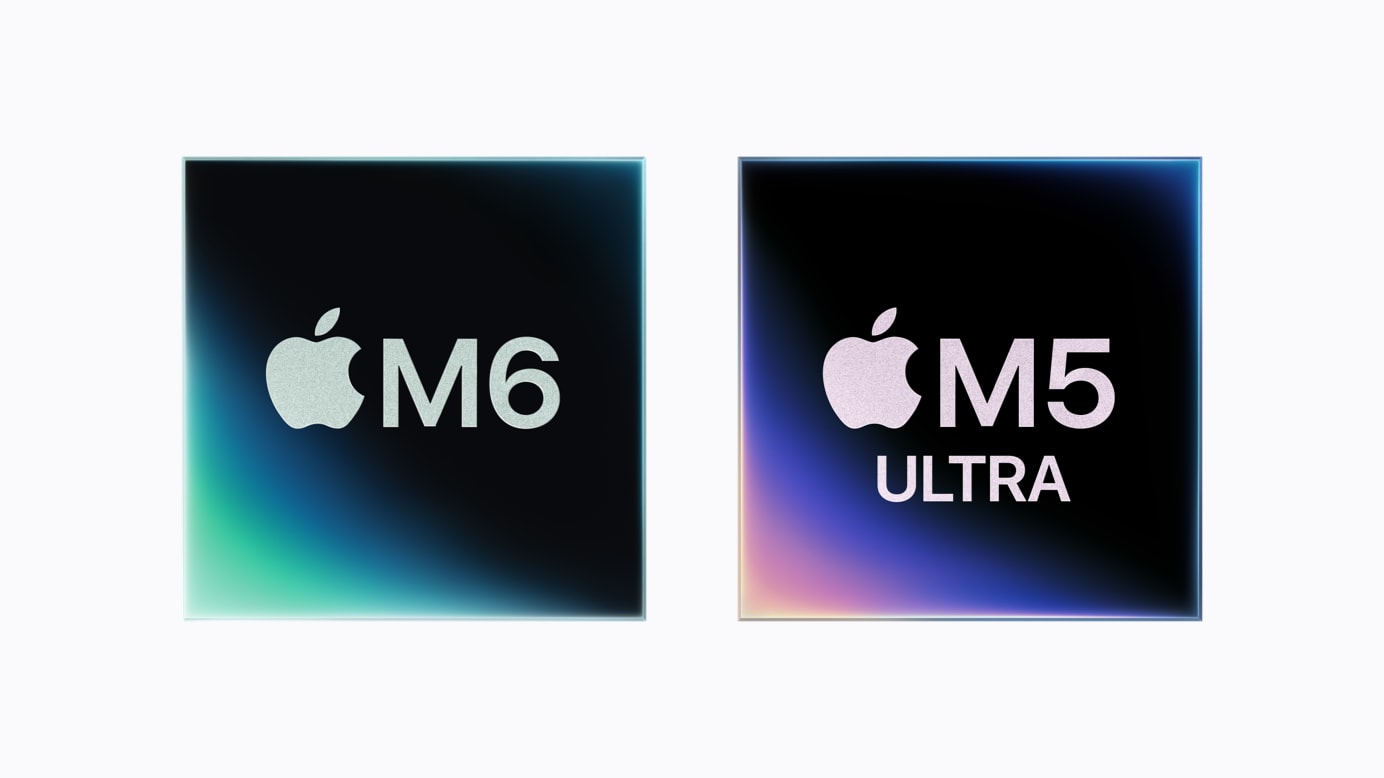
Apple announced the new Mac mini with the all-new M6 and powerful M5 Pro, delivering a dramatic boost in performance and even more versatility in its supersmall desktop design. With M6, Mac mini now delivers up to 4x faster AI performance, 2x faster storage and graphics, and 40 percent faster CPU performance, including up to 13.5x faster LLM prompt processing in LM Studio compared to Mac mini with M1.
Apple also introduced the new Mac Studio, featuring M5 Max and the all-new M5 Ultra, Apple's most powerful Mac ever. Mac Studio now delivers up to 4.3x faster AI performance, up to 2x faster storage, up to 1.8x faster graphics, and up to 1.3x faster CPU speed, along with higher memory bandwidth.
Mac mini starts at $799 for education with the all-new M6, or $1,599 for education with M5 Pro.
Mac Studio starts at $2,299 for education with M5 Max, or $5,099 for education with M5 Ultra. A 512GB unified memory configuration arrives in late October.
Both lines support Wi-Fi 7 and Bluetooth 6. Mac mini now includes upgraded 2.5Gb Ethernet standard, with a 10Gb option available, and both models add genlock support through USB-C for precise synchronization between a display and camera, including iPhone 17 Pro. On connectivity, Mac mini with M6 includes three Thunderbolt 4 ports, while Mac mini with M5 Pro steps up to three Thunderbolt 5 ports; Mac Studio includes Thunderbolt 5 across both M5 Max and M5 Ultra. Thunderbolt 5 also enables clustering multiple Mac Studio systems together for distributed AI inference, with Apple citing up to 3x faster performance across four clustered systems compared to a single system.
Mac Studio also steps up to a third-generation ray-tracing engine across both M5 Max and M5 Ultra, delivering faster, more realistic rendering for 3D, VFX, and design workflows.
Mac mini and Mac Studio are available for pre-order, arriving September 22.
📖 Apple's new Mac mini, featuring M6 and M5 Pro
📖 Apple introduces new Mac Studio with M5 Max and M5 Ultra
📖 Apple introduces M6 and M5 Ultra
📖 Learn more about Mac mini
📖 Learn more about Mac Studio
📅 Apple & AI — Upcoming Webinars
Macs with Apple Silicon are becoming increasingly popular for AI workflows. They can run large language models, train models, and process datasets locally, with no added infrastructure, and your data stays private and on-device. As even more powerful Macs have been announced, join one of our upcoming sessions to learn practical insights into how Mac and AI can advance your work.
Apple and AI in Research
See how Mac can serve as a powerful, private, cost-effective AI platform for research.
- Tuesday, September 15 at 11:00 AM ET — Join on Webex
- Wednesday, September 16 at 3:00 PM ET — Join on Webex
Apple & AI: Performance, Privacy, Cost Efficiency
A broader look at secure, scalable AI across teaching, research, and academic innovation.
- Thursday, September 17 at 11:00 AM ET — Join on Webex
Jamf Roundup
A few Jamf-specific guides and tools worth a look this edition:
- Jamf Setup Manager: The Complete Guide — a click-by-click walkthrough from HCS Technology Group, including a companion Jamf Setup Checklist.
- Reporting on Jamf Pro API Role permissions — Der Flounder's new script reports which API roles are assigned to and used by your enabled API clients, building on an earlier client-reporting script.
For a broad primer on where DDM is headed, Jamf's free ebook A Practical Guide to Modern Apple Device Management with DDM covers how DDM shifts management from reactive to proactive: continuous device-state reporting, automated enforcement, and predictable update cycles.
Back to topDDM & Fleet Update Management
Content Caching Monitoring Reports Schema Now Available
At WWDC26, the What's New for IT site mentioned a new option in the Content Caching Configuration section: the ability for content caching servers to push their own status reports to an HTTPS endpoint, opening the door to custom monitoring dashboards and integration with your existing observability tools. Now the schema for those reports is available to review: Content Caching metrics_report.json
Deferral vs. Enforcement: A Real Behavior Worth Knowing
A field-engineering thread surfaced a DDM behavior that's easy to miss: once a SoftwareUpdateEnforcementSpecific declaration lands on a device, it always overrides any MDM-configured deferral period, including tools like Intune's "Latest Version Policy." This is expected behavior, not a bug, but it catches admins off guard. Apple's own documentation covers it in detail: deploying software updates using declarative management and the recently updated install and enforce software updates guide.
Blueprints Keep Getting More Capable
Philip Ross has two new pieces worth a look if you're leaning into Jamf Blueprints: stacking DDM predicates to auto-activate declarations without endless blueprint/scoping-group combinations, and retroactively activating the macOS user channel on already-enrolled devices, so user-scope declarations can finally apply. And if you're still relying on legacy software-update MDM commands, Jon Brown makes the case for moving on: those commands stop working entirely on devices running 27.0 operating systems, and Blueprints are the replacement model.
Back to topTools Worth Knowing
Managing macOS Default Applications with utiluti
From the University of Utah's August MacAdmins meeting, Ross Matsuda (Ntiva) walks through Armin Briegel's utiluti command-line tool for inspecting and managing default-app associations (UTIs, file extensions, URL schemes) at fleet scale, covering fleet assessment, Self Service workflows, and app-migration support. Watch the session
Imprivata Enterprise Access Management: Frictionless Access on Mac
If your institution supports a teaching hospital or health sciences program, this one's worth your time. Also from the University of Utah's August MacAdmins meeting, Aaron Freimark and John Bartholomew demo Imprivata's second-generation macOS agent for badge-based shared-computer access: tap a badge, unlock a Mac, and sign into apps in under 4 seconds. The session includes a live demo, a look at Emory Healthcare's all-Mac hospital deployment, and a comparison against Apple Platform SSO. Watch the session
Boxing Day
A free, open-source Mac app for building .pkg installers, with an optional one-click upload to a Jamf Pro distribution point. Jamf integration is optional; it works standalone with any MDM. View on GitHub
And if Jamf isn't your platform: Fleet has a guide on building and validating configuration profiles with AI instead of a GUI, worth a look regardless of which MDM you run.
Back to topIn the News
The U.S. Department of Education released new guidance to help states, districts, educators, families, and ed-tech providers make informed decisions about responsible technology use in the classroom. Read the guidance
🔭 Worth a Look
Teachers' Essential Guide to STEM with Apple Intelligence
Common Sense Education's latest guide looks at how Apple Intelligence can support STEM instruction without getting in the way of it. Good STEM teaching is inquiry-driven: students question assumptions, test ideas, and revise their thinking as they go. The guide argues AI tools fit naturally into that process. They can help generate questions, organize information, and draft explanations, while leaving the actual reasoning and discovery to students.
For colleges of education and teacher-prep programs, this is a useful one to have on hand as faculty think through how Apple Intelligence fits into STEM methods courses and student teaching placements.
Previously in this series: AI Fundamentals · Creativity
A few more brief mentions worth a look this edition:
- Check out MacBook Imaging at Scale — the University of Utah's automated restore/verify/checkout pipeline for their student MacBook fleet.
- Dock Management on macOS: From User Templates to Swift Tools — another practical piece from the University of Utah MacAdmins team.
- Introduction to DDM Explorer 2.0 — the University of Utah's guide to Jamf-Concepts' DDM Explorer app for inspecting DDM declarations.
- Decades After HyperCard, AI Is Democratizing Development Again — TidBITS reflects on agent-assisted coding versus HyperCard and AppleScript's earlier take on personal automation.
🌟 Accessibility Spotlight
Special Education Enrollment Is Rising — Here's How Higher Ed Can Get Ahead of It
Special education enrollment is climbing nationally, both in the number of students served and in how much of the school day they spend in general education classrooms. A GAO report found inclusion rates in general ed rose 25% between 2012-13 and 2023-24, and school districts nationwide are investing accordingly to keep pace.
Today's K-12 students are tomorrow's college students, and that means growing demand for accommodations and support services on campus. The good news: with the right technology in place, well-planned support and Apple's built-in accessibility features can make a real difference for these students as they transition to higher education.
📖 GAO/EdNC: More students with disabilities in general education
📖 Disability Scoop: Enrollment growth strains school budgets
A Smartphone Navigation App for People with Blindness and Low Vision
Here's how one university is leveraging technology to help blind and low-vision users navigate as pedestrians. Harvard Ph.D. student Raymond Liu, inspired by his older sibling's experience losing their sight later in life, built Mobilio: a smartphone app that uses computer vision to identify sidewalks, crosswalks, and obstacles, then guides users safely using specialized audio feedback, no extra equipment required.
📖 Harvard SEAS: A Smartphone Navigation App for People with Blindness and Low Vision
🎥 Watch: A Smartphone Navigation Assistant for People Who Are Blind

Upcoming Events
📌 Hold the Date — SE Office Hours, September 2026
Next month's SE Office Hours will be:
- Wednesday, September 23 at 2:00 p.m. ET — Add to Calendar
- Thursday, September 24 at 12:00 p.m. ET — Add to Calendar
⏰ Missed a Session This Month?
Some sessions were recorded, and two are being repeated live — catch up below.
Watch the recordings:
- What's New for IT (password:
tPgbuRT8) - Identity Integrations and Ongoing Security (password:
PwkC3XWE) - Managed AI and Apple Intelligence in Your Organization (password:
bH4upiDH)
Join the repeat session:
⏰ Apple Deployment Foundations
Happening next week — four sessions, Aug 31–Sept 3.
| Date | Session | Registration |
|---|---|---|
| Aug 31 |
Apple School Manager Overview w/ Q&A
2:00 p.m. ET · Join us to learn about Apple School Manager through an in-depth overview of the portal along with best practices in configuring it for use.
|
Register |
| Sept 1 |
Federation and SIS Sync Overview w/ Q&A
2:00 p.m. ET · Join us for an introductory walkthrough of Apple School Manager's federated authentication and SIS data import features.
|
Register |
| Sept 2 |
Classroom App Overview w/ Q&A
2:00 p.m. ET · Join us for an in-depth overview of the free Classroom app and learn all of its capabilities.
|
Register |
| Sept 3 |
Content Caching on macOS Overview w/ Q&A
2:00 p.m. ET · Join us for a discussion around Content Caching on macOS.
|
Register |
Higher Education Webinars
View all Higher Education events
| Date | Webinar | Registration |
|---|---|---|
| Sept 15 |
Apple and AI in Research
11:00 a.m. ET · See how Mac can serve as a powerful, private, cost-effective AI platform for research.
|
Join on Webex |
| Sept 16 |
Apple and AI in Research
3:00 p.m. ET · See how Mac can serve as a powerful, private, cost-effective AI platform for research.
|
Join on Webex |
| Sept 17 |
Apple & AI: Performance, Privacy, Cost Efficiency
11:00 a.m. ET · A broader look at secure, scalable AI across teaching, research, and academic innovation.
|
Join on Webex |
| Sept 17 |
Platform Single Sign-On for Apple Devices
12:00–1:00 p.m. ET · Learn how Platform SSO modernizes authentication across your campus, and what the latest identity features mean for institutionally owned Apple devices.
|
Register |
| Sept 23 |
Supercharge AI Research with Mac
3:00–3:45 p.m. ET · Discover how Mac empowers researchers to run powerful AI workflows locally, with faster iteration, greater privacy, and the performance your institution needs to stay ahead.
|
Register |
| Sept 24 |
macOS Security Compliance Project for Higher Education
12:00–12:45 p.m. ET · Learn how to use the macOS Security Compliance Project to streamline security policy management and meet compliance requirements across your institution.
|
Register |
| Sept 28 |
Financial Sustainability with Apple Financial Services
3:00–3:30 p.m. ET · Gain insights and strategies that will help your institution stay ahead of the curve in technology procurement.
|
Register |
Enterprise Readiness Workshops
These workshops focus on various Apple Enterprise topics such as getting started with Apple Business Manager, new features, beta testing considerations, and other best practices. Build, refine, and update your Apple environment with the help of Apple engineers, who will guide you through each live session. A number of sessions are available. View the schedule
Academic Health Webinars
View all Academic Health events
| Date | Webinar | Registration |
|---|---|---|
| Sept 10 |
Mac in Healthcare
1:00–2:00 p.m. ET · Join us to learn what makes Mac such a powerful tool in healthcare.
|
Register |
| Sept 15 |
macOS Security Compliance Project for Academic Health Institutions
1:00–2:00 p.m. ET · Join Apple and learn how you can leveraging the macOS Security Compliance Project to help standardize your institution's Mac endpoint security and management workflows.
|
Register |
| Sept 23 |
Managing and Securing Apple Devices for Academic Health Institutions
1:00–2:00 p.m. ET · Join Apple for an exclusive webinar designed for IT professionals supporting academic medical centers and health science education programs.
|
Register |
In-Person & Major Events
| Date | Event | Links |
|---|---|---|
| Sept 17 |
Addigy Frontier'26
Free virtual conference · 9:00 a.m.–3:00 p.m. ET · Sessions on Platform SSO/identity, zero-touch deployment, and AI in device management, with speakers including Patrick Wardle (DoubleYou).
|
Info |
| Sept 23–25 |
JNUC 2026
Jamf Nation User Conference
|
Info |
| Sept 29–Oct 2 |
EDUCAUSE 2026
Denver, CO · Join Apple at EDUCAUSE 2026 as we explore what's next for teaching, learning, and innovation across higher education.
|
Info |

Training & Resources
AppleSeed for IT — Beta 27 Builds are available; there's still time for testing in your environment. Review release notes in Feedback Assistant and on the AppleSeed web portal. Looking ahead to the fall release? Beyond WWDC: What the 2026 macOS beta cycle looks like in the field walks through what's working, what's still rough, and what to watch for as 27.0 approaches.
On-Demand Video Series
- Deploying Apple in Education — Fundamentals of Apple deployment for IT organizations — managing devices at scale.
- Education IT & Security — Apple Intelligence, device management, and enterprise-grade security standards.
- Apple Education Store Help — Video guides covering proposals, orders, invoices, and returns.
IT Training
- Apple Professional Training for IT — Self-paced online training and certification for IT professionals, on your schedule.
- CDW Apple IT Training — Five training courses for IT teams supporting Apple endpoints.
- Jamf Training — Self-paced and instructor-led training for Jamf administrators.
Community & Reference
- IT Deployment and Management — Education Community Forum — Connect with Apple and peers on deployment tips, software updates, and best practices.
Apple Platform Guides
- Apple Platform Deployment
- Apple Platform Support
- Apple Platform Security
- Apple Platform Certifications
Enterprise OS Reference
- Device management updates & deprecation lifecycle — how Apple communicates upcoming profile/config changes
- Apple security releases — Latest updates across all platforms
- Mastering Swift — New book on Swift scripting for Apple admins by Charles Edge, Jeremy Bannister, and Joel Rennich. Available for pre-order; ships September 15.
New to Mac?
A curated set of Apple resources to help you or your team get started — guides, keyboard shortcuts, training, and video tutorials, all in one place. Visit the resource page
Contact